 Get extension
 FOR DESKTOP CHROME
Save the company
behind any post.
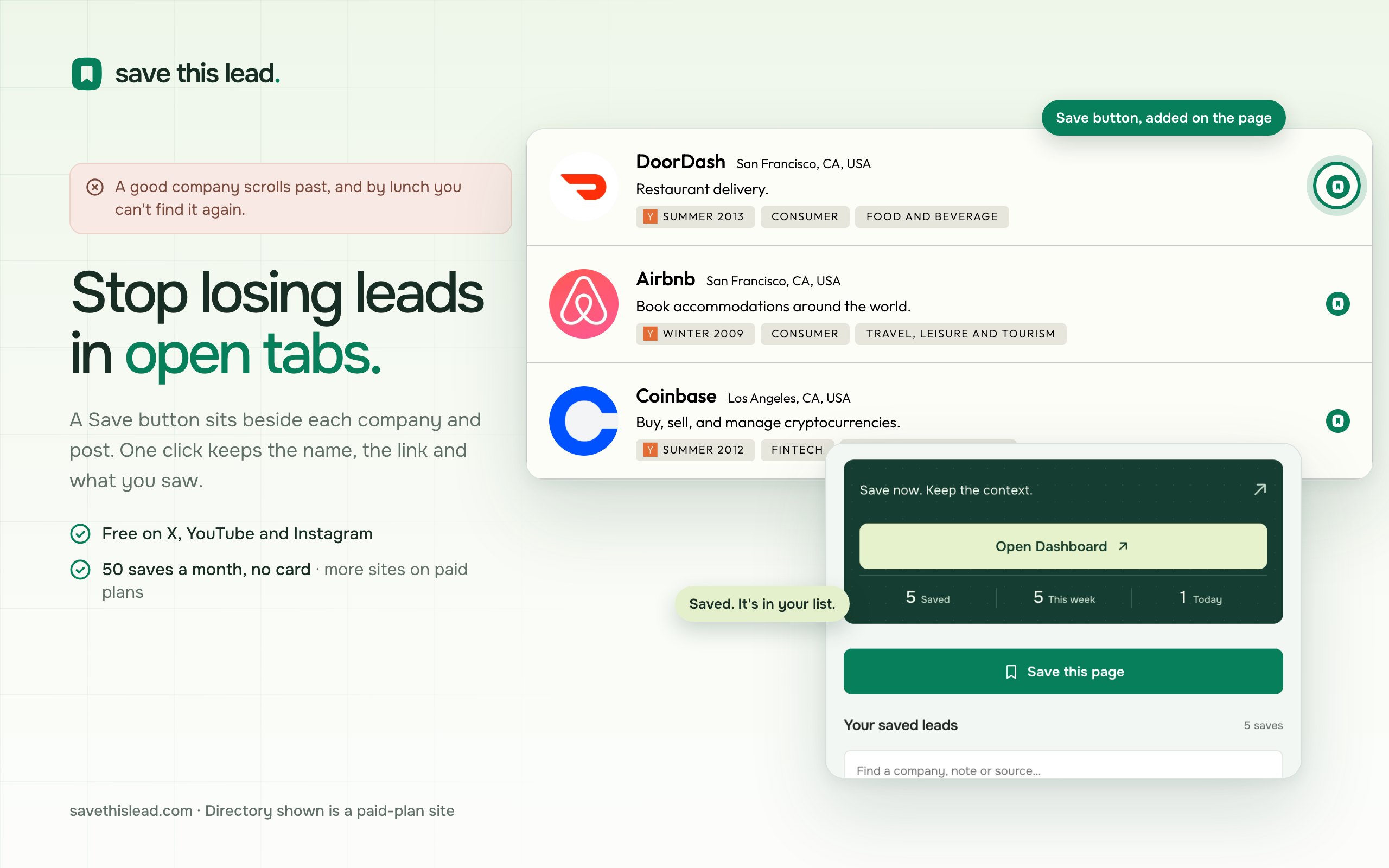
A Save button on X, LinkedIn, YouTube and 178 more sites. One click keeps the company, the post and your note.
Add to ChromeFree on the Chrome Web Store · updates itself · 7 days of Power free, no card
- On the Chrome Web Store page, click Add to Chrome.
- Pin Save This Lead from the puzzle icon in your toolbar.
- Open it, sign in, and save your first post.
The Web Store works in those too. If it does not, download version 4.10.4 as a ZIP, unzip it, and choose Load unpacked in the browser's extensions page with Developer mode on. It never posts, likes, follows or messages as you, never asks for a social password, and reads a page only when you press Save.
The product in 67 seconds.
The Save button, the company record it creates, and the things the extension never does.
Six reasons
to try it today.
Each one links to the page with the detail.
7 days of Power, no card
Every new account starts with all 181 sites and unlimited saves for a week. Then the Free plan, with no time limit: 50 saves a month on X, YouTube and Instagram.
A Save button inside 181 sites
Free covers X, YouTube and Instagram. Paid plans add news sites, launch and review sites, job boards, ad libraries and webmail.
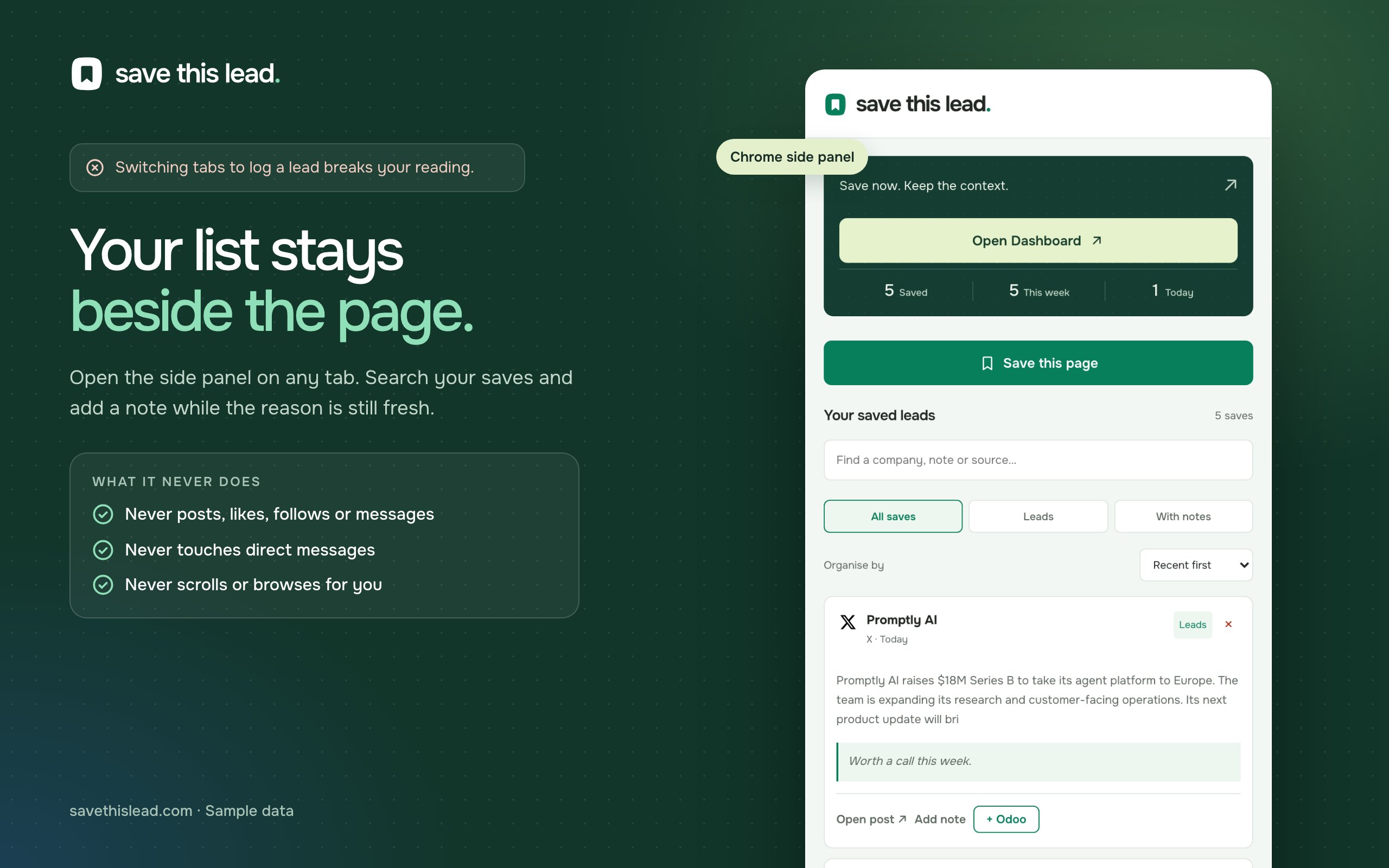
It never acts as you
No posting, liking, following or messaging from your accounts, and it never asks for a social password.
It reads only the page you have open
It reads a post when you click Save and checks posts on your screen against your watched keywords. It never opens tabs or browses on its own.
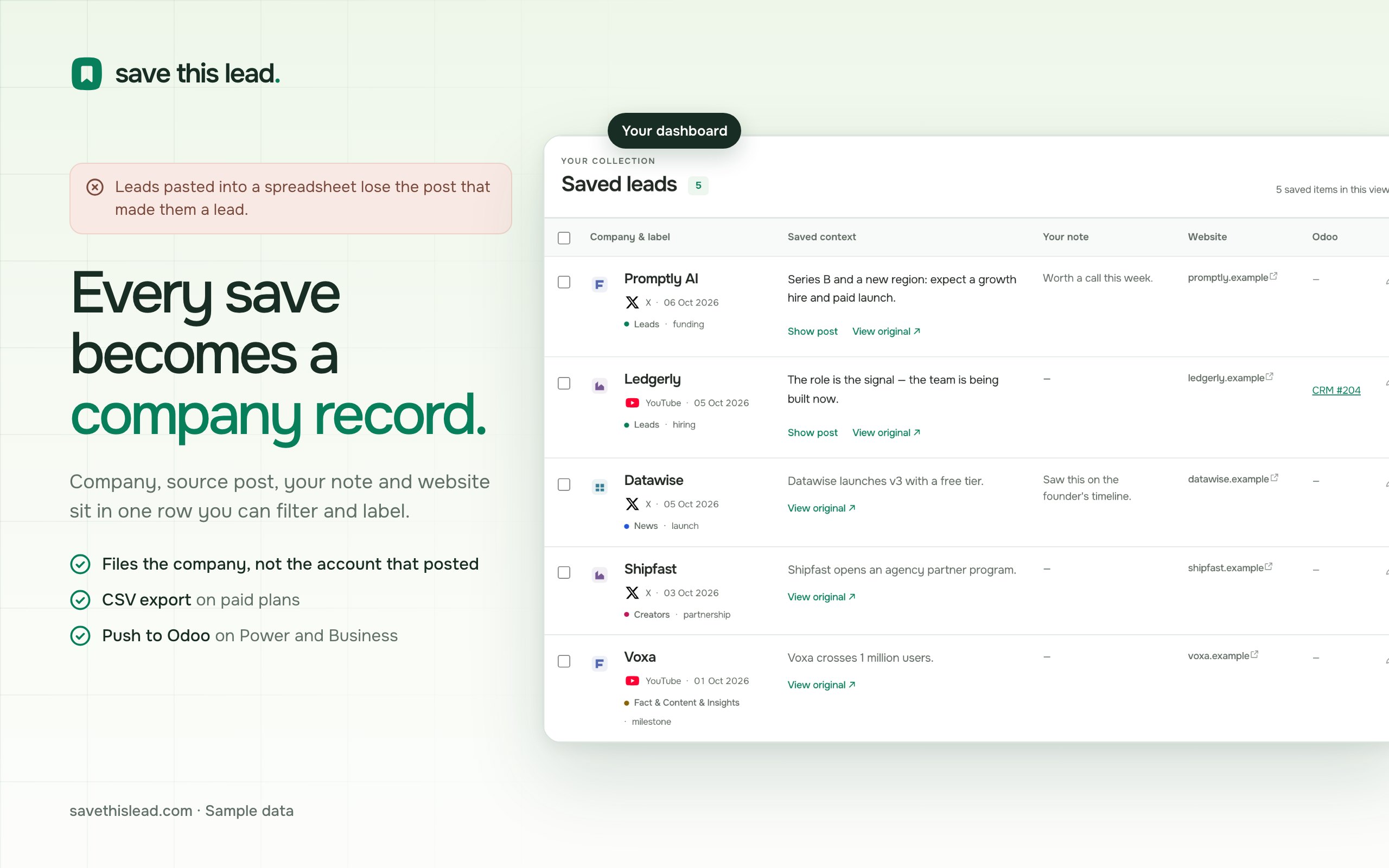
A saved post becomes a company record
The company, the post, your note and the website sit in one row, so you still know why it mattered a month later.
Your list can leave with you
Paid plans export saved posts and On Radar to CSV, which Excel, Google Sheets, HubSpot and Salesforce all import.
What you'll be using.
A minute to set up.
A new way to keep track.
- 01
Add it from the Chrome Web Store
Click Add to Chrome on the store page and confirm. Chrome keeps it up to date from then on.
- 02
Pin it
Open the puzzle-piece menu in Chrome's toolbar and pin Save This Lead, so its side panel is one click away.
- 03
Pin it. Sign in. Save a post.
Pin Save This Lead to your toolbar, open its side panel, and sign in. Start with a useful post on X, Instagram or YouTube, included on Free. More sources are available on paid plans.